

If you have family in Cuba, or you are trying to shop, send groceries, or stay in touch from abroad, you have probably run into the search term “apk cubanas para descargar” at some point. It shows up because Cuba’s internet situation is different from almost anywhere else. Google Play access is spotty, data is expensive, and a lot of the apps that actually matter to Cuban households never show up in a normal app store search. People end up looking for the APK file directly instead.
This guide walks through what that phrase really means, which apps are worth downloading, how to install them safely, and where a lot of people go wrong.
What Does “APK Cubanas Para Descargar” Actually Mean?
An APK is simply the installation file for an Android app, the same way a .exe file installs a program on Windows. “Apk cubanas para descargar” translates loosely to “Cuban APKs to download”, meaning apps built for or heavily used by the Cuban market: grocery and remittance platforms, food delivery services, messaging tools, and local marketplaces.
Because Cuba’s connection to Google’s servers is unreliable and mobile data is limited, many of these apps are shared as APK files on third-party sites rather than through the Play Store. That is not automatically a red flag, but it does mean you need to be more careful about where the file actually comes from.
Why People Search for These Apps in the First Place
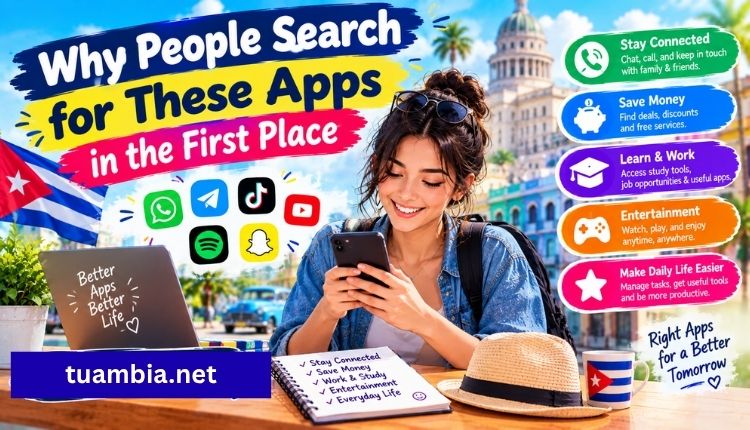
A few recurring reasons show up again and again:
- Sending food and supplies home: Families abroad use apps tied to services that let them buy groceries online and have them delivered to relatives in Cuba, similar to what’s covered in this guide on how to send food to your family in Cuba.
- Daily deals and online shopping: Platforms built around the Cuban market run frequent promotions, and shoppers want the app version so they don’t miss them, which is exactly the appeal behind Katapulk’s daily deals.
- Sweets, snacks, and specialty groceries: Some services focus specifically on treats and confections that are hard to find locally, like the offerings detailed in this guide to sending sweets to Cuba through Supermarket23.
- Reliable customer support: Once someone has an app installed, the next question is usually how to get help if an order goes wrong, which is why guides like Tuambia’s customer service contact options get so much traffic.
- Comparing shipping and remittance services: Not every app is worth the storage space, so people research alternatives such as Maracuba’s pricing and reviews before picking one.
Top Cuban Apps Worth Downloading
Here’s a quick comparison of the categories people search for most, along with what each one is actually good for.
| App / Service | Main Use Case | Best For | Typical Install Source |
| Tuambia | Groceries, hygiene products, appliances delivered to Cuba | Families sending full grocery orders | Official site / APK download |
| Katapulk | Daily deals, electronics, general shopping | Bargain hunters and repeat shoppers | Play Store (region-dependent) / APK |
| Supermarket23 | Snacks, sweets, specialty foods | Birthdays, holidays, care packages | Official site / APK download |
| Maracuba Envíos | Remittances and package delivery | Comparing pricing across providers | Official site |
| ToDus | Messaging (Cuba’s most-used chat app) | Staying in daily contact with family | APK download, limited Play Store access |
| Local delivery agencies | Regional drop-off and pickup services | People needing agency-based delivery, like agencies in Houston | Direct agency websites |
This is not an exhaustive list, and new services appear often, but these cover most of what shows up in search results tied to “apk cubanas para descargar.”
How to Download and Install a Cuban APK Safely
Sideloading an app (installing it outside the Play Store) is normal in Cuba, but it does carry more risk than a standard app store download. A few steps make it much safer:
- Get the file from the official source first: Check the company’s own website or verified social media before searching generic APK repositories. If the business has a page like this one explaining how their online store actually works in Cuba, that’s usually a strong signal the service is legitimate and actively maintained.
- Check the file size against the listed version: A grocery or shopping app that’s suddenly 5MB instead of the usual 40-60MB is a warning sign something has been stripped out or added.
- Scan before installing: A quick scan with a mobile antivirus app, or uploading the file to a scanning service before opening it, takes a minute and can save you a headache.
- Enable “unknown sources” only temporarily: Turn the setting on to install the file, then turn it back off. Leaving it permanently enabled makes your phone more vulnerable to future downloads.
- Watch the permissions requested: A grocery ordering app has no real reason to ask for access to your call log or SMS messages. If it asks, that’s worth questioning.
- Keep the app updated: Official updates usually patch security issues, so check back on the source site periodically rather than running the same file for years, visit more.
Picking the Right App for What You Actually Need
Not everyone searching “apk cubanas para descargar” wants the same thing, so it helps to narrow it down by goal:
- Want to send a full grocery order? Start with a general delivery platform and compare it against reliable delivery pages built specifically for this.
- Want the cheapest shipping option? Cross-check pricing between two or three services rather than settling on the first one that shows up in search.
- Want to support a small business or relative’s online shop in Cuba? It helps to understand the logistics they’re working with, since running a store there comes with restrictions most outside sellers never deal with.
- Want daily communication, not shopping? Messaging apps like ToDus matter more than any shopping platform, since data costs shape almost every decision Cuban users make about which app to keep installed.
Common Risks to Avoid
A handful of mistakes come up repeatedly with APK downloads tied to Cuba:
- Downloading from random forums or file-sharing sites instead of the company’s own domain.
- Ignoring outdated reviews: An app that worked fine two years ago may have changed ownership, pricing, or security practices since then.
- Skipping the refund or support policy: Before an order goes through, it’s worth knowing exactly how to reach support if something doesn’t arrive, which is where a clear customer support contact page actually matters.
- Assuming every app works the same across regions: Some apps behave differently, or aren’t available at all, depending on whether the person is in Cuba, Miami, or elsewhere.
FAQs
Is it legal to download APK files for Cuban apps?
Yes. Downloading an APK file is not illegal on its own. The concern is safety and source reliability, not legality. Just avoid pirated or modified versions of paid apps.
Why can’t I just find these apps on the Google Play Store?
Google’s services are restricted or unreliable in Cuba, and some developers choose not to list there at all because of low bandwidth availability. APK distribution through the company’s own site is often the more consistent option.
Are these apps safe for iPhone users too?
APK files are Android-only. iPhone users generally need to look for a web app version or check if the company has a separate iOS listing, since APKs won’t install on iOS devices.
How do I know if an APK file has been tampered with?
Compare the file size and version number against what’s listed on the official page, and run it through a scanner before installing. If something looks off, don’t install it.
What’s the most commonly searched Cuban app besides shopping platforms?
ToDus consistently ranks as one of the most downloaded apps for communication within Cuba, mainly because of its low data usage compared to alternatives.
Conclusion
“Apk cubanas para descargar” usually isn’t about one single app. It’s a search born out of necessity, limited data, unreliable Play Store access, and a real need to stay connected with or support family in Cuba.
The safest approach is sticking to official sources, checking file details before installing anything, and picking the app that actually matches what you’re trying to do, whether that’s sending groceries, comparing delivery pricing, or just keeping in touch. A little bit of caution before hitting install goes a long way toward avoiding the headaches that come with sideloaded apps.
